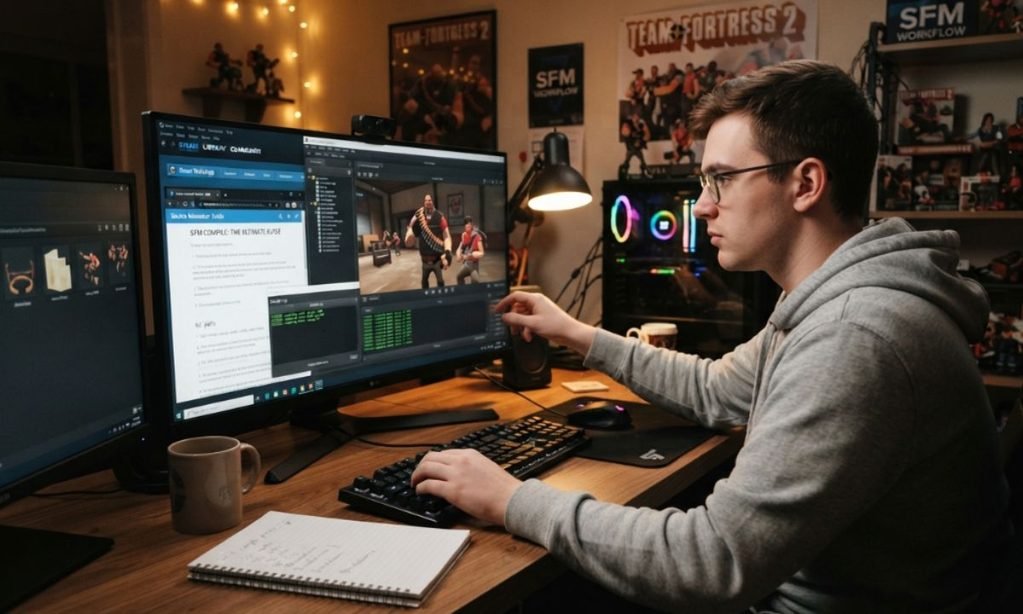
Creating custom content for Source Filmmaker can be rewarding, but getting a model from a 3D application into a working SFM scene involves more than simply importing a file. At some point, most creators encounter the term sfm compile. Understanding what it means can save hours of troubleshooting when a custom character refuses to load, textures appear incorrectly, or animations behave unexpectedly.
In practical terms, SFM compile refers to preparing source assets and converting them into formats that the Source engine can use. For custom models, this commonly involves exporting geometry and animation data, creating a QC script, and running that script through Valve’s StudioMDL compiler or a graphical tool such as Crowbar. The resulting files can then be placed in the appropriate SFM directories.
What Does SFM Compile Mean?
SFM compile is the process of converting a model and its associated instructions into Source Engine-compatible files that Source Filmmaker can load.
A typical custom-model workflow looks like this:
3D model → SMD/DMX export → QC file → StudioMDL/Crowbar → compiled model → Source Filmmaker
Programs such as Blender, Maya, and 3ds Max are designed around their own project and asset formats. Source Filmmaker, however, relies on formats and structures used by the Source engine. A Blender project file, for example, is not itself an SFM-ready model.
The compilation stage connects those two environments.
A QC file tells the compiler important information about the model, including its name, mesh files, material locations, animation sequences, and, when applicable, collision information. StudioMDL then processes those instructions and creates the files that SFM expects.
Why Do Custom Models Need to Be Compiled?
The main reason is compatibility.
A model created in a modern 3D application contains information in a structure that Source Filmmaker does not directly consume. Compilation transforms the exported asset into the Source model format and connects different pieces of information together.
This process can define:
- The model’s file path
- Mesh and skeleton information
- Material references
- Animation sequences
- Collision data
- Model naming
- Texture directories
- Other Source-specific properties
The finished model normally includes an .MDL file along with supporting files such as .VVD and .VTX. A .PHY file may also be generated when collision data is included.
That is why copying a raw .blend, .fbx, or similar project file into an SFM folder generally does not make it immediately usable.
The Main Files in an SFM Compile
Understanding the individual files makes troubleshooting considerably easier.
SMD and DMX Files
SMD and DMX are commonly used during the asset preparation and compilation process.
They can contain model geometry, skeleton information, and animation data depending on how they are exported. Blender and other 3D applications can use Source-compatible export tools to produce these files.
They are generally considered source assets rather than the final model format loaded by SFM.
QC Files
The QC file acts as the instruction sheet for the model compiler.
It can specify the model’s destination, body geometry, materials, animation sequences, and physics-related information. A simplified QC structure might look like this:
$modelname "custom/character.mdl"
$body "Body" "character.smd"
$cdmaterials "models/custom"
$sequence "idle" "idle.smd" fps 30
The exact commands needed depend on the model. More advanced characters can require considerably more information.
A missing file reference, incorrect path, or incompatible command can cause compilation to fail, so QC files deserve careful attention.
MDL Files
The .MDL file is the primary compiled Source model file. It contains important model information that allows the Source engine to identify and use the asset.
However, an MDL file should not be treated as completely independent. Its associated compiled files and materials generally need to remain in the expected directory structure.
VVD and VTX Files
The .VVD and .VTX files provide additional model and rendering data used by the Source engine.
If an MDL appears to exist but the model does not behave correctly, checking whether the supporting compiled files were generated and copied correctly is an important troubleshooting step.
PHY Files
A .PHY file contains physics or collision information when the model’s QC setup includes a collision model.
Not every SFM asset requires one, particularly when the object does not need physical simulation.
StudioMDL vs. Crowbar for SFM Compilation
Two names frequently appear when researching the SFM compile process: StudioMDL and Crowbar.
StudioMDL is Valve’s model compiler. It processes the QC instructions and produces the compiled Source model files. It is powerful but is primarily a command-line tool.
Crowbar provides a graphical interface around Source compilation and related workflows. This makes it easier for many beginners to select a QC file, configure paths, start a compile, and inspect the resulting log. Crowbar is also used for other Source model tasks, including decompilation.
Neither tool eliminates the need for a correctly prepared model and QC file. A graphical interface can simplify the process, but it cannot automatically correct every modeling, rigging, material, or path problem.
A Typical SFM Compile Workflow
A reliable workflow is easier to SFM Compile maintain when each stage is handled separately.
1. Prepare the Model
Start with your model in Blender, Maya, 3ds Max, or another compatible 3D application.
Check the mesh, UVs, skeleton, weights, and material assignments before exporting. Problems at this stage can become difficult to diagnose after compilation.
For characters, verify that the bone structure and skin weights are appropriate for the intended SFM setup.
2. Export SMD or DMX Data
Use an appropriate Source export tool to create the files required by your compilation setup.
Depending on the asset, you may need separate files for the reference mesh and animation sequences.
Keep the exported files organized. Simple folder structures make QC path management much easier.
3. Create the QC Script
Create a QC file that tells StudioMDL how to build the model.
The QC should point to the correct model files and material directories. Animation sequences and collision information can also be defined here when required.
Before compiling, check every path manually.
4. Compile With StudioMDL or Crowbar
Load the QC file into your chosen compiler.
If using Crowbar, its graphical interface can make the initial setup easier. If using StudioMDL directly, the QC file is passed to the compiler through the appropriate command-line workflow.
The compiler log is important. Even when a model appears to compile, warnings can reveal issues that may become visible later.
5. Check the Output
After a successful compilation, verify that the expected model files were created.
Check the model in an appropriate Source model viewer when possible before spending time animating it in a full scene.
This provides an opportunity to identify model, bone, or material problems early.
6. Place the Files in the Correct Directory
The compiled model and supporting assets need to be placed where SFM can find them.
The exact directory depends on the project and installation setup, but the model path defined in the QC file needs to correspond logically with the resulting file location.
Incorrect directory structure is one of the simplest problems to overlook.
How Textures Fit Into SFM Compile
Model compilation and texture preparation are related but are not exactly the same process.
Source-based workflows commonly use VTF texture files and VMT material files. The VMT defines how a material uses its texture and other material properties.
For example, a material may reference a texture through a path similar to:
"VertexLitGeneric"
{
    "$basetexture" "models/custom/character"
}
The exact material configuration depends on the asset.
If a model loads but displays a purple-and-black checkerboard pattern, the problem may be related to missing textures, incorrect VMT references, or incorrect material paths rather than the model compilation itself.
This distinction is useful because recompiling the model repeatedly will not necessarily fix a material-path problem.
Common SFM Compile Problems
The Model Does Not Appear
First, check whether the compilation actually succeeded.
Then verify that the MDL and its supporting files exist in the expected location. Incorrect model paths in the QC file can also prevent SFM from finding the asset.
The Model Appears Without Textures
This usually points toward the material pipeline.
Check the VMT and VTF files, material directories, texture names, and paths referenced by the model. The spelling and directory structure must match what the compiled model expects.
The Character Is Stuck in a T-Pose
A T-pose can indicate an animation, skeleton, or rigging problem.
Check that the appropriate skeleton was exported and that animation sequences are correctly defined in the QC file. The problem may originate before compilation rather than inside the compiler itself.
Compilation Produces Errors
Read the compiler output rather than immediately changing several things at once.
Look for:
- Missing SMD or DMX files
- Incorrect file paths
- Invalid QC commands
- Missing materials
- Bone-related problems
- Animation sequence errors
- Collision-model issues
Fixing one error at a time makes the process much easier to understand.
How to Make the SFM Compile Process More Reliable
A few habits can prevent many avoidable problems.
Keep Paths Simple
Avoid unnecessarily complicated folder structures and inconsistent naming.
Use predictable model and material directories and make sure the QC file matches them exactly.
Separate Source Files From Compiled Files
Keep your Blender or Maya project files, exported SMD/DMX files, QC scripts, textures, and compiled output organized rather than mixing everything in one folder.
This makes it easier to rebuild a model after making changes.
Save Successful QC Files
Once a model compiles correctly, keep the working QC file.
It can become a useful starting point for future versions of the same asset, especially when multiple characters or props share a similar structure.
Read the Compile Log
The compile log is more than an error report. It can show exactly where the process stopped and often points toward the file or command responsible.
Learning to interpret the log is one of the most useful skills for anyone who regularly works with custom Source assets.
Is SFM Compile the Same as Rendering?
No.
Compilation prepares assets for use by Source Filmmaker, while rendering produces the final visual output.
For example, a custom character may first need to be compiled so SFM can load it. After that character has been animated, lit, and placed in a scene, the finished project can be rendered into images or video.
Confusing these two stages can make troubleshooting unnecessarily complicated.
What About Maps?
Model compilation is only one part of the wider Source development workflow.
Maps can involve tools such as Hammer and compilers including VBSP, VVIS, and VRAD. These perform different jobs related to map geometry, visibility, and lighting.
That means the term SFM compile can sometimes be used broadly when discussing Source Filmmaker content, but model compilation and map compilation involve different files and tools.
Frequently Asked Questions
What is SFM compile?
SFM compile is the process of converting prepared custom assets into Source-compatible files that Source Filmmaker can load. For models, this commonly involves SMD or DMX files, a QC script, and StudioMDL or a tool such as Crowbar.
What compiler is used for Source Filmmaker models?
StudioMDL is the core Valve compiler used for Source models. Crowbar provides a graphical interface that can make compiling and related Source model tasks easier for many users.
Do I need Blender to compile an SFM model?
No. Blender is a popular free option for creating and exporting Source-compatible assets, but it is not the compiler itself. Other 3D applications can be used when they support the necessary export workflow.
What is a QC file in SFM?
A QC file is a text-based instruction file used by the model compiler. It defines information such as the model name, mesh files, material directories, animation sequences, and other compilation settings.
Why is my SFM model invisible?
Possible causes include an unsuccessful compile, missing supporting model files, incorrect paths, or problems with the model itself. Checking the compiler log and verifying the generated files are good first steps.
Why does my SFM model have missing textures?
Missing or incorrectly referenced VMT and VTF files are common causes. Material paths must correspond with the structure expected by the compiled model.
What files does SFM compile produce?
A typical compiled model can include MDL, VVD, and VTX files, with PHY generated when physics or collision information is included.
Can beginners use Crowbar?
Yes. Crowbar’s graphical interface can make the compilation process more approachable than working directly with command-line tools. Beginners still need to understand basic model organization and QC configuration.
Do I need programming knowledge for SFM compile?
Basic model compilation does not require conventional programming knowledge. QC files use commands and parameters, so learning their syntax is more important than learning a programming language.
Is SFM compile required for every SFM project?
Not necessarily. If you only use assets that are already compatible with Source Filmmaker, you may not need to compile them yourself. Compilation becomes important when preparing custom models and other Source assets.
Conclusion
Learning sfm compile is an important step for creators who want to move beyond Source Filmmaker’s built-in assets. The process may initially seem complicated because several file formats, directories, tools, and scripts work together.
The basic concept, however, is straightforward: prepare the asset, export it into a Source-compatible format, define the compilation instructions in a QC file, compile it with StudioMDL or a suitable interface such as Crowbar, and then verify the resulting files and materials.
Once you understand the role of SMD or DMX files, QC scripts, MDL/VVD/VTX files, materials, and compiler logs, custom SFM models become much easier to manage. The key is to treat compilation as a structured technical workflow rather than a single import button.







1 thought on “SFM Compile A Practical Guide to Compiling Models for Source Filmmaker”
Comments are closed.